

Concept / Strategy
User Research
Prototyping
Visual / UX
Pay Link lets users create custom payment links for specific amounts or items, simplifying and streamlining transactions for sellers and buyers.

Opportunity
Squarespace sellers are limited by commerce tools that are tied to their website which work well for selling items from their online inventory. However, the existing flows don’t support more flexible scenarios like social selling, custom one-off items, or peer fundraising. This creates friction for merchants who have not yet fully set up their online stores, established merchants who want to sell outside of existing structures, and nonprofits looking to empower their communities.
The Checkout team set out to expand beyond site-based checkout by enabling a faster, more flexible way to sell and accept payments across platforms.


Seller
Experience
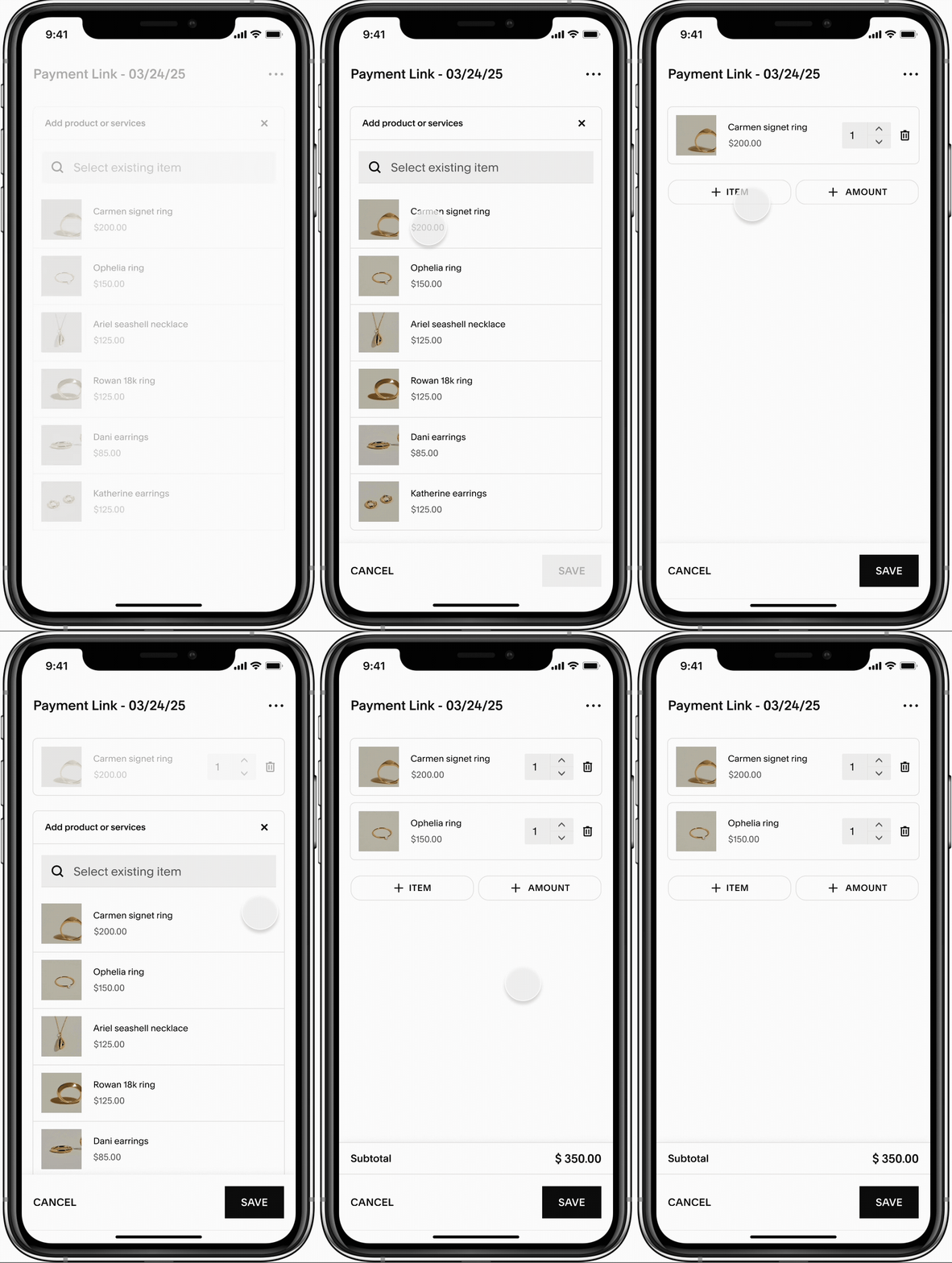
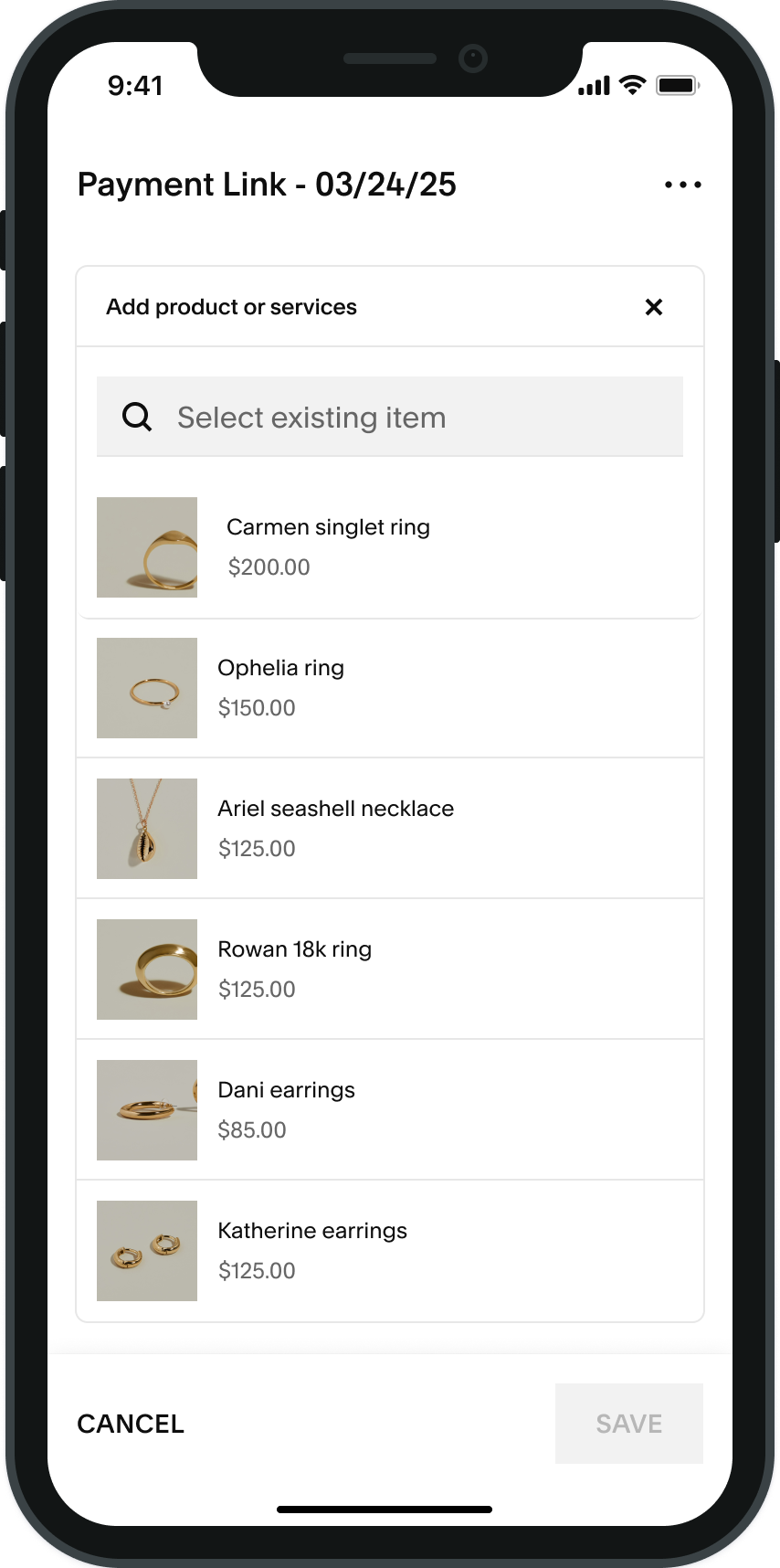
Inventory items
Sellers can directly add items from their online catalog to their pay link, enabling quicker checkout for customers who are high intent.
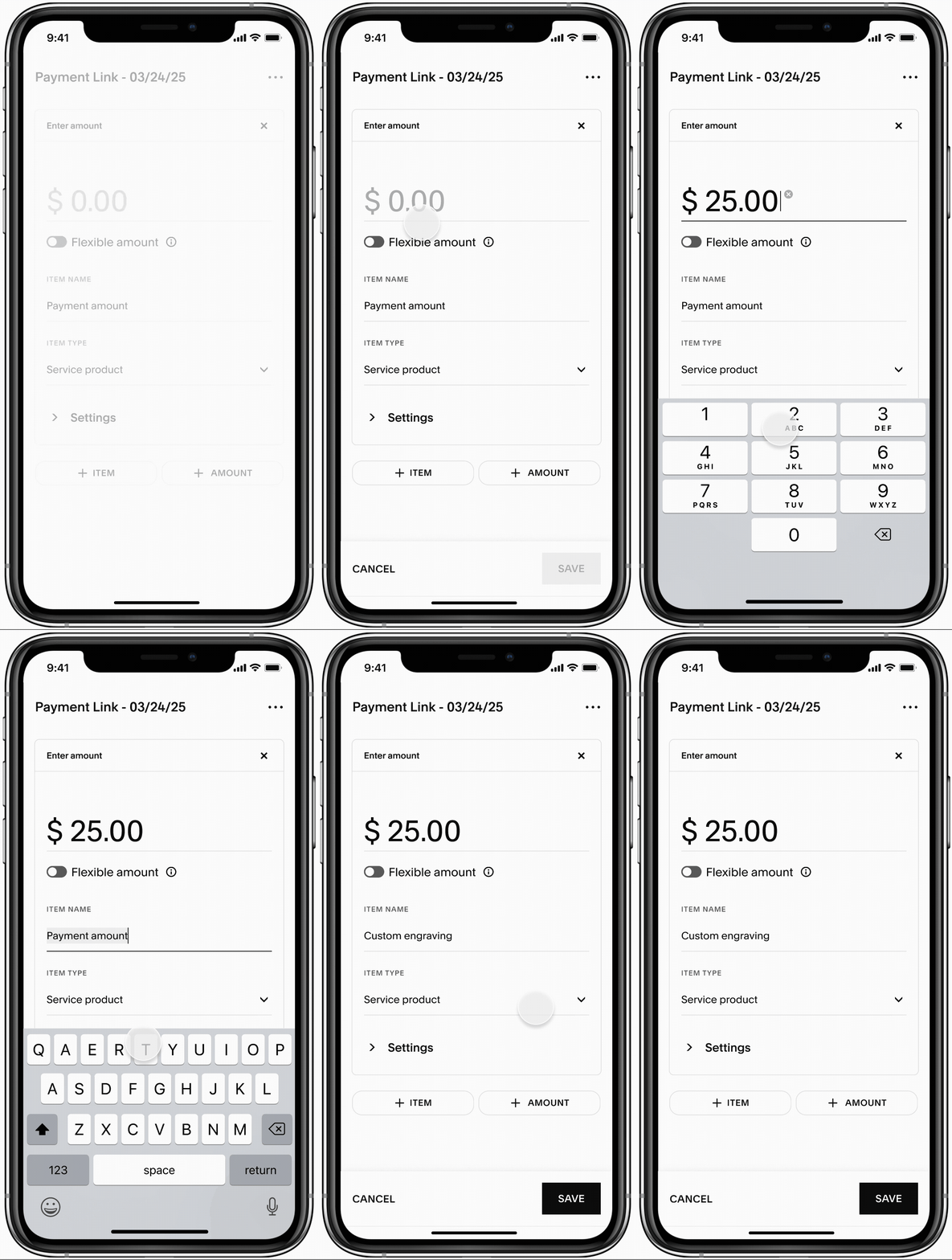
Custom amount
For custom items or services, sellers can input a specific amount and create a custom charge that can be sent to one or multiple customers.
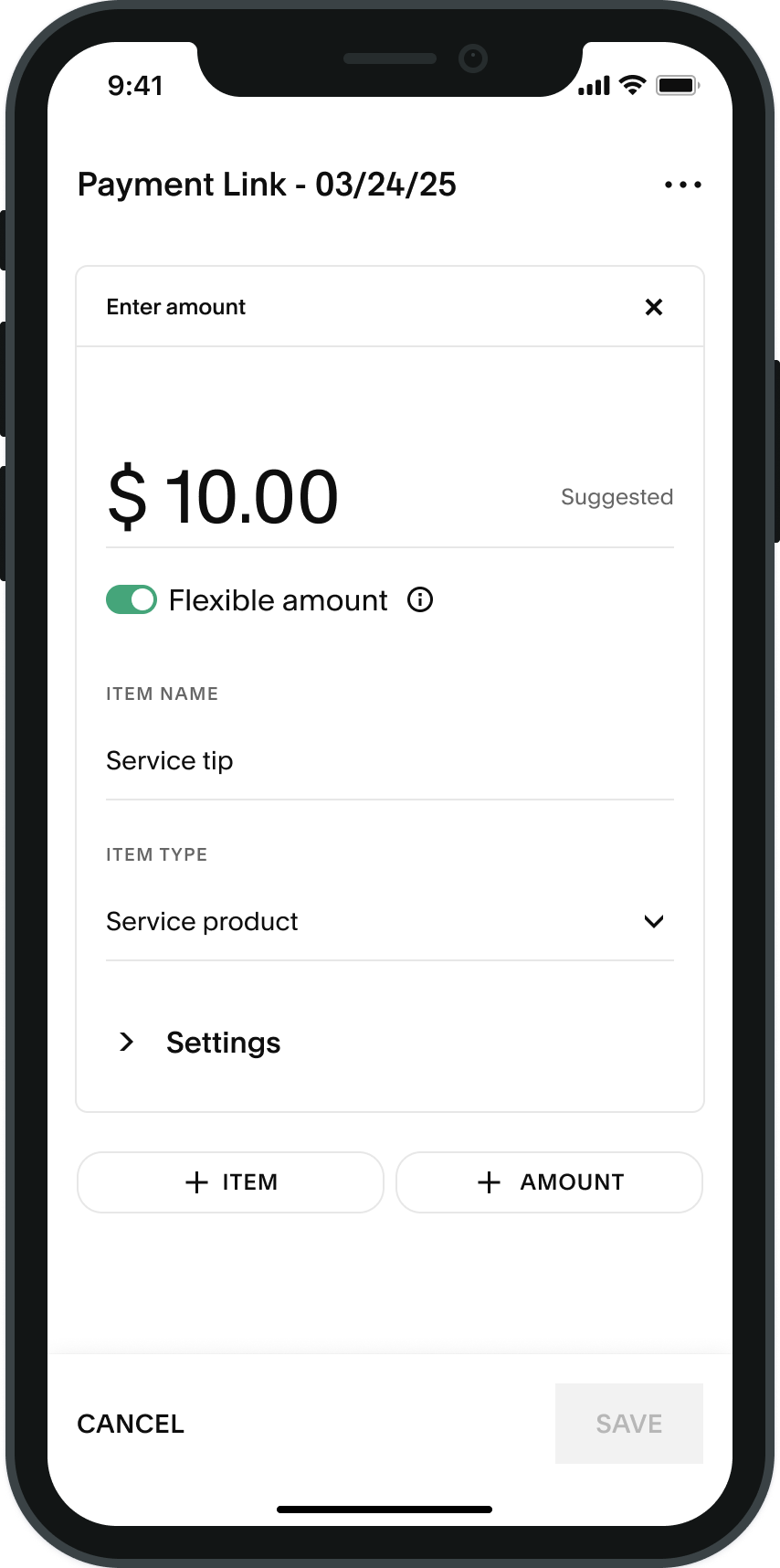
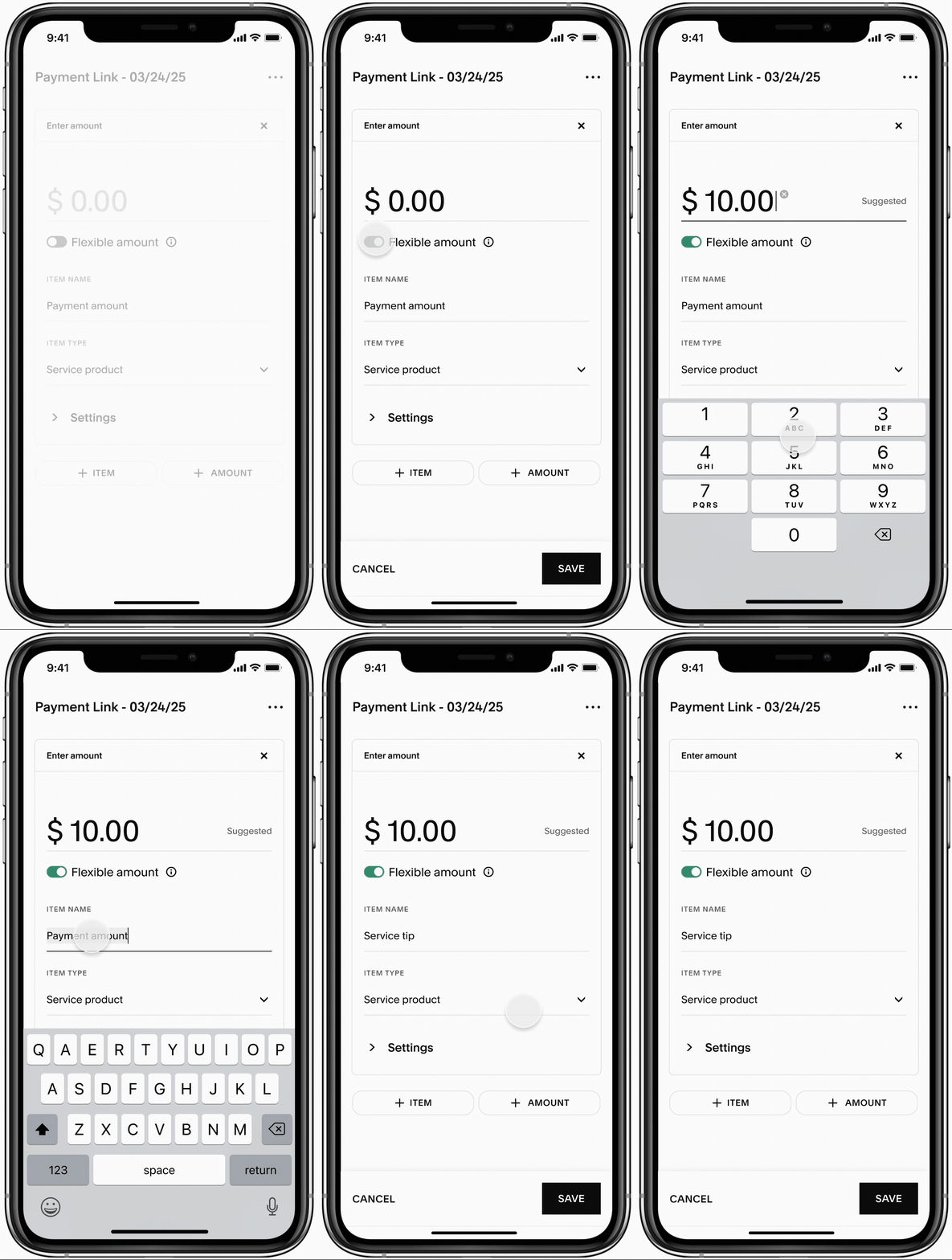
Flexible amount
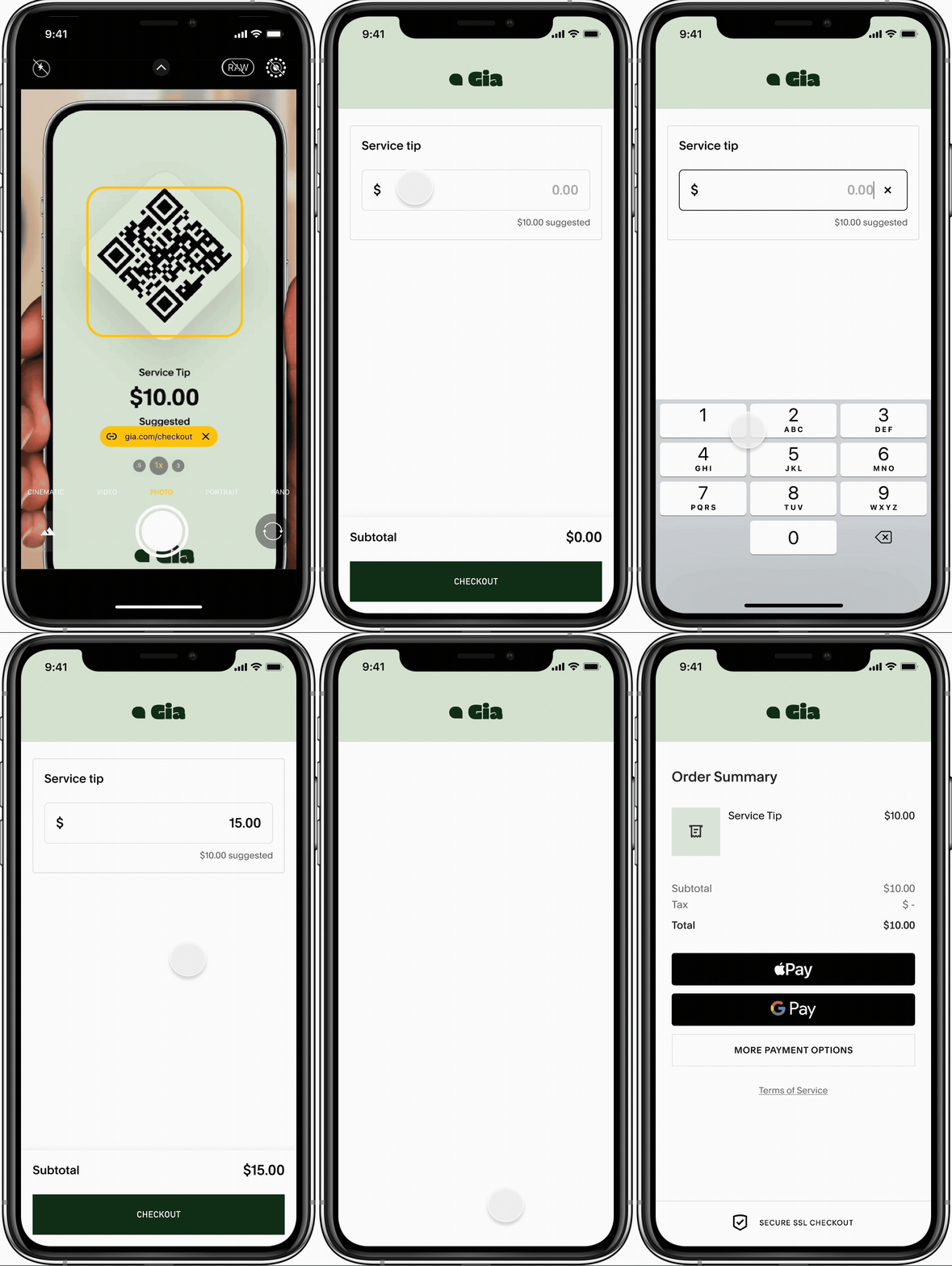
For requesting an unspecified amount in cases like tips and donations, sellers can set up a pay link with a blank or suggested amount and allow the customer to decide how much to pay.
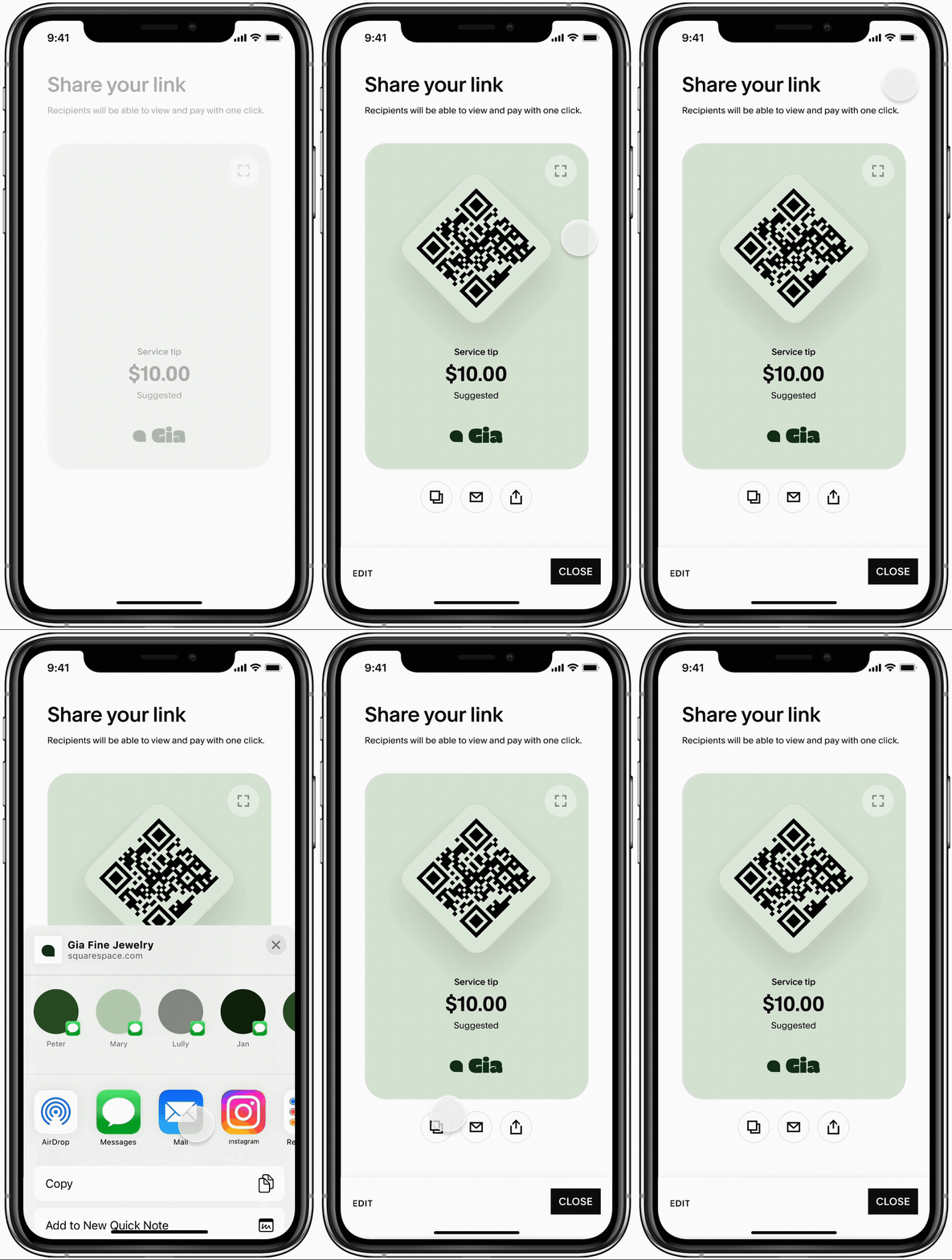
Sending & Sharing
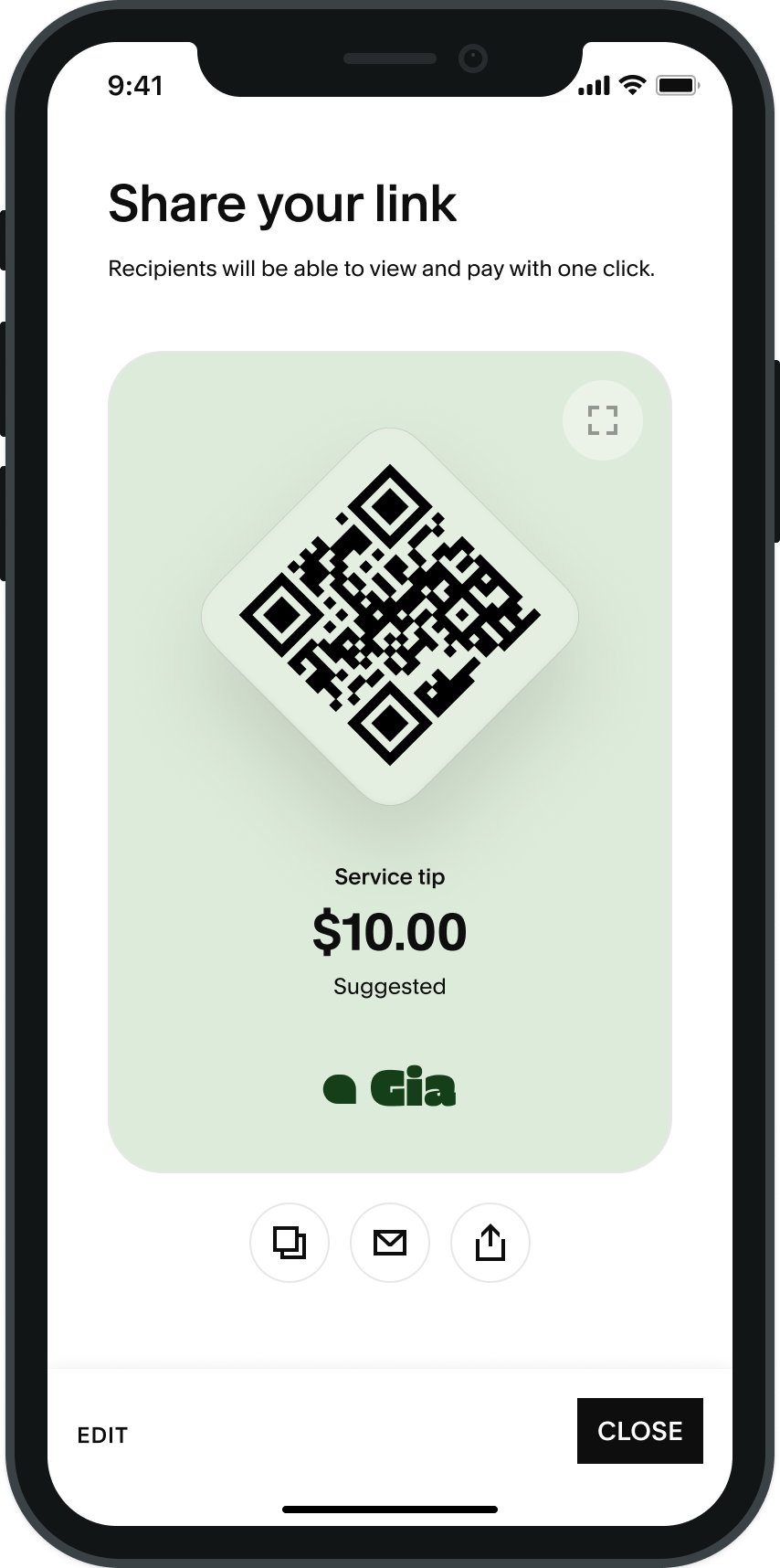
Once the pay link has been configured, seller can easily send and share their links through copying the url, default share settings, or sharing a QR code in person.
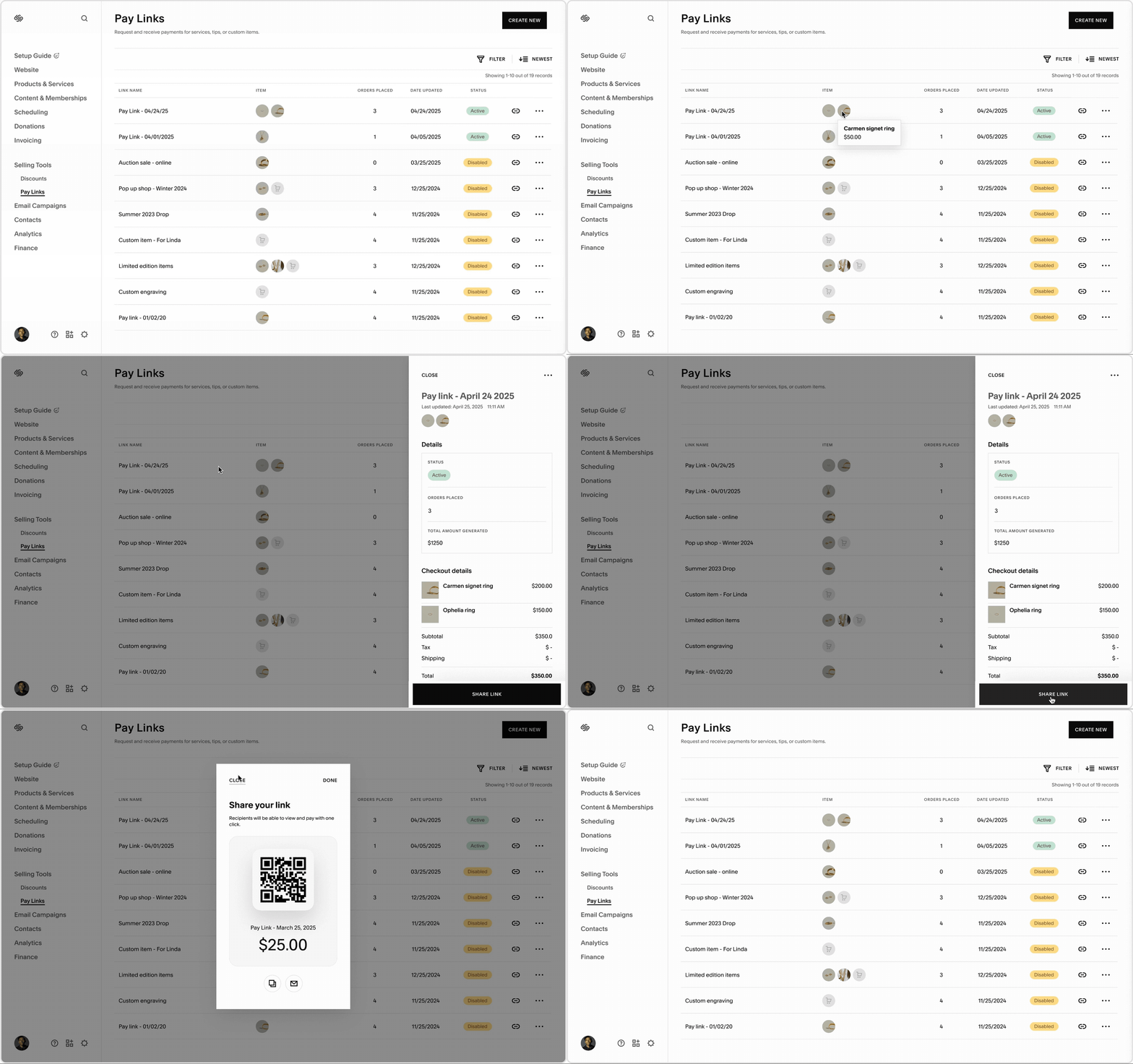
Link management
Once their pay links are configured and shared with customers, sellers can access pay link details and manage their existing pay links all in one place.
Customer Experience
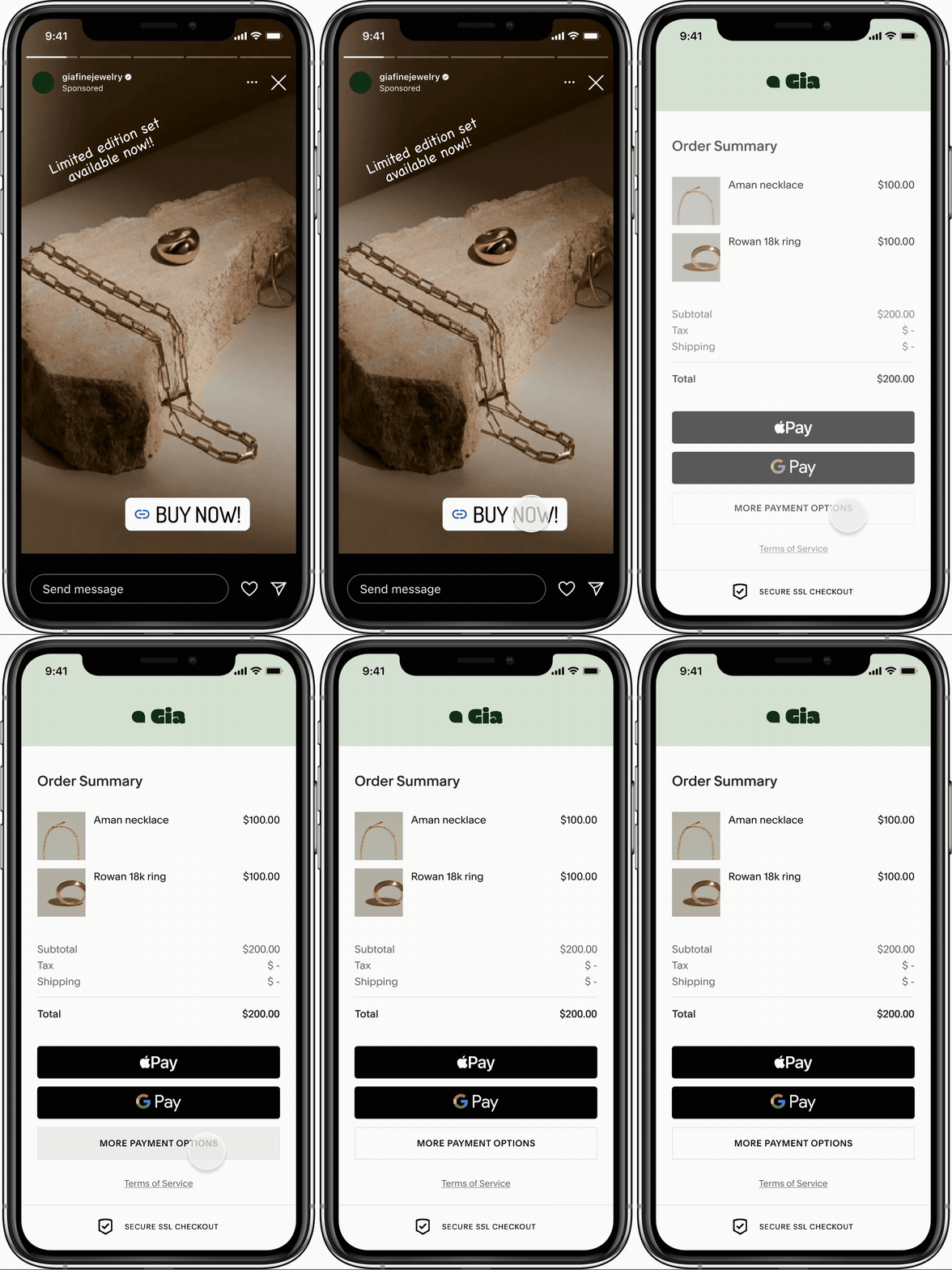
Social shopping
A large number of customers who checkout on Squarespace come from social media. With pay links, the purchase finds the customer where they are at, not the other way around
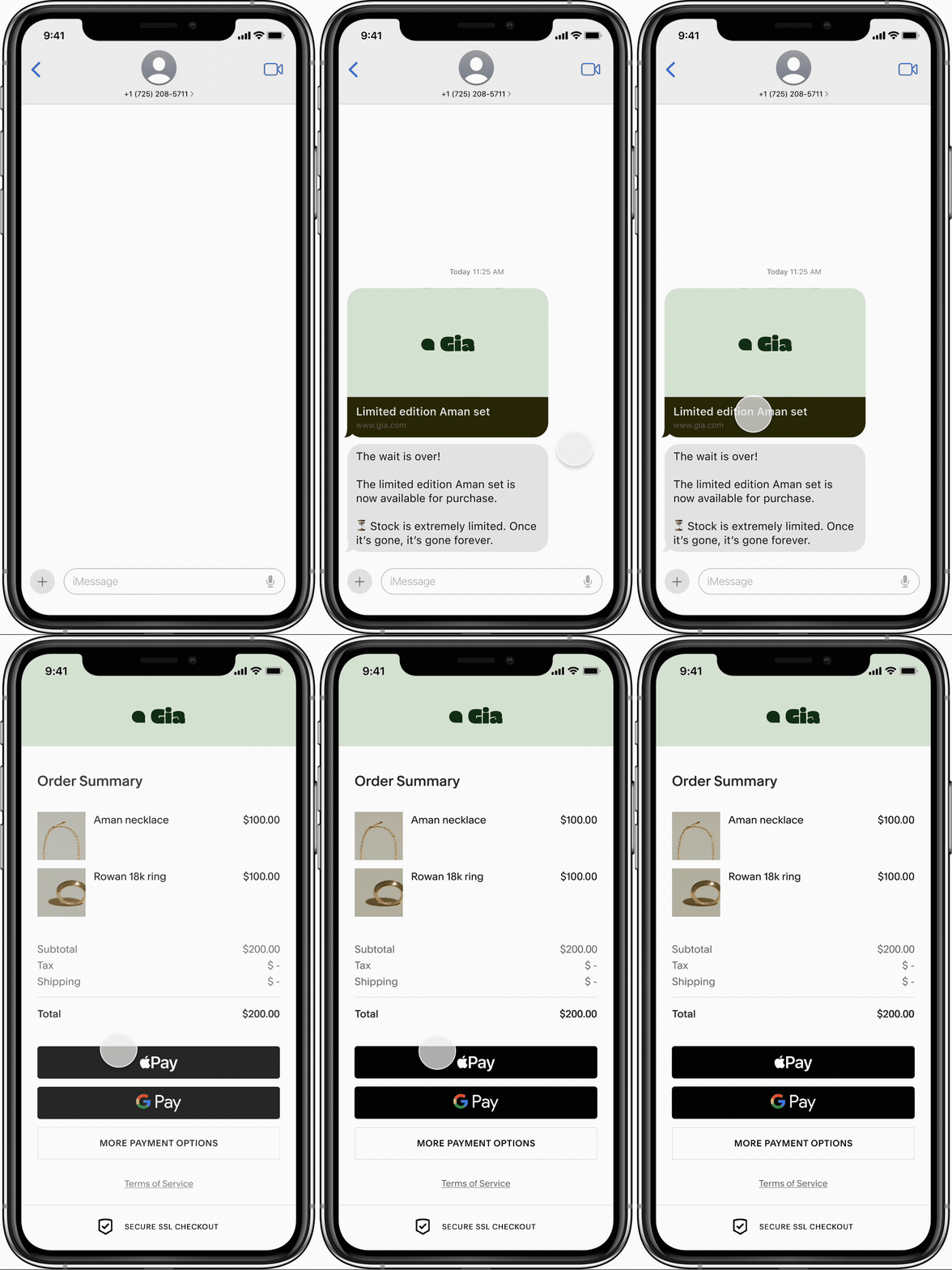
Direct communication
Pay links allow customers more direct access to merchants they are interested in, allowing for more efficient notification and purchasing.
In-person checkout
For in-person transactions, customers can scan a QR code for quick and direct checkout.